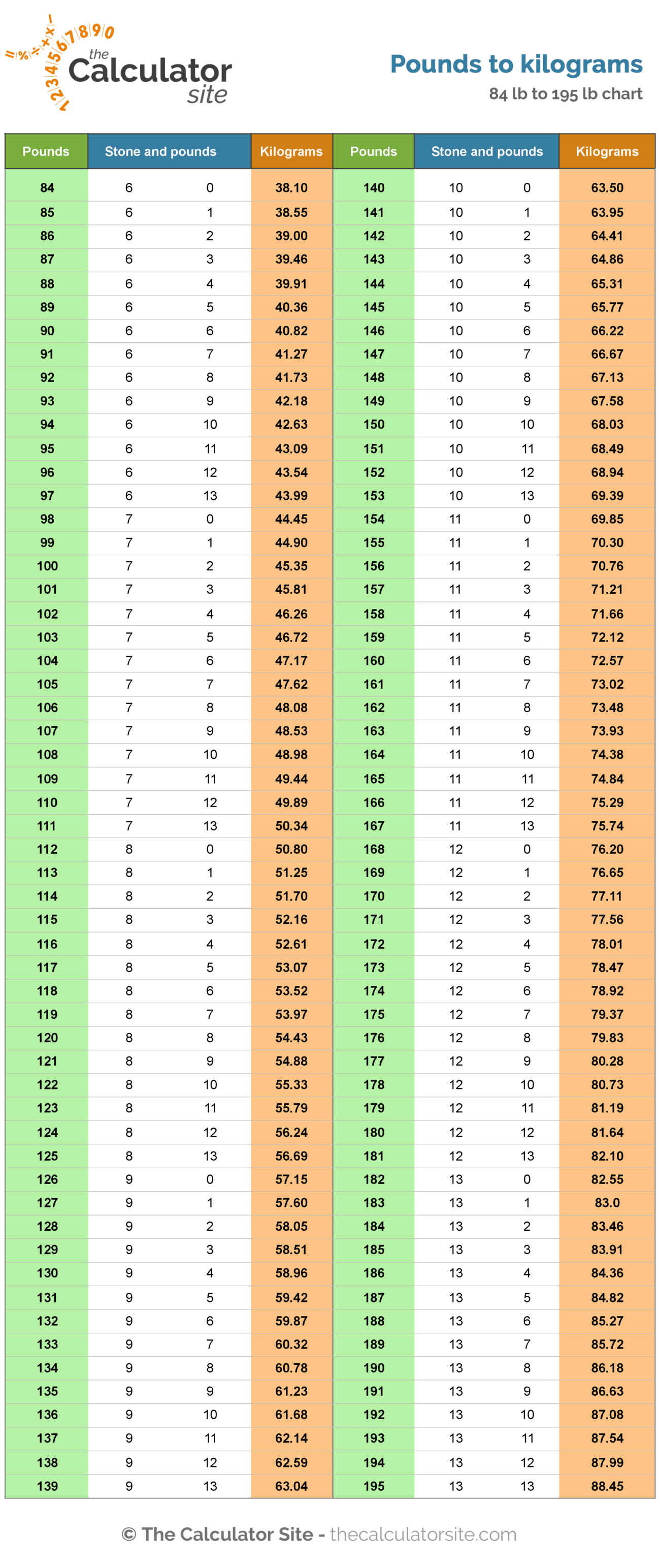
Having a weight chart handy can be incredibly useful, especially when trying to understand how different weight measurements translate into kilos and pounds. A Weight Chart Kilos To Pounds helps you convert weights quickly, making it easier for you and your family to track health and fitness goals. In this article, I will guide you through how to effectively use this resource, ensuring you get the most out of it.
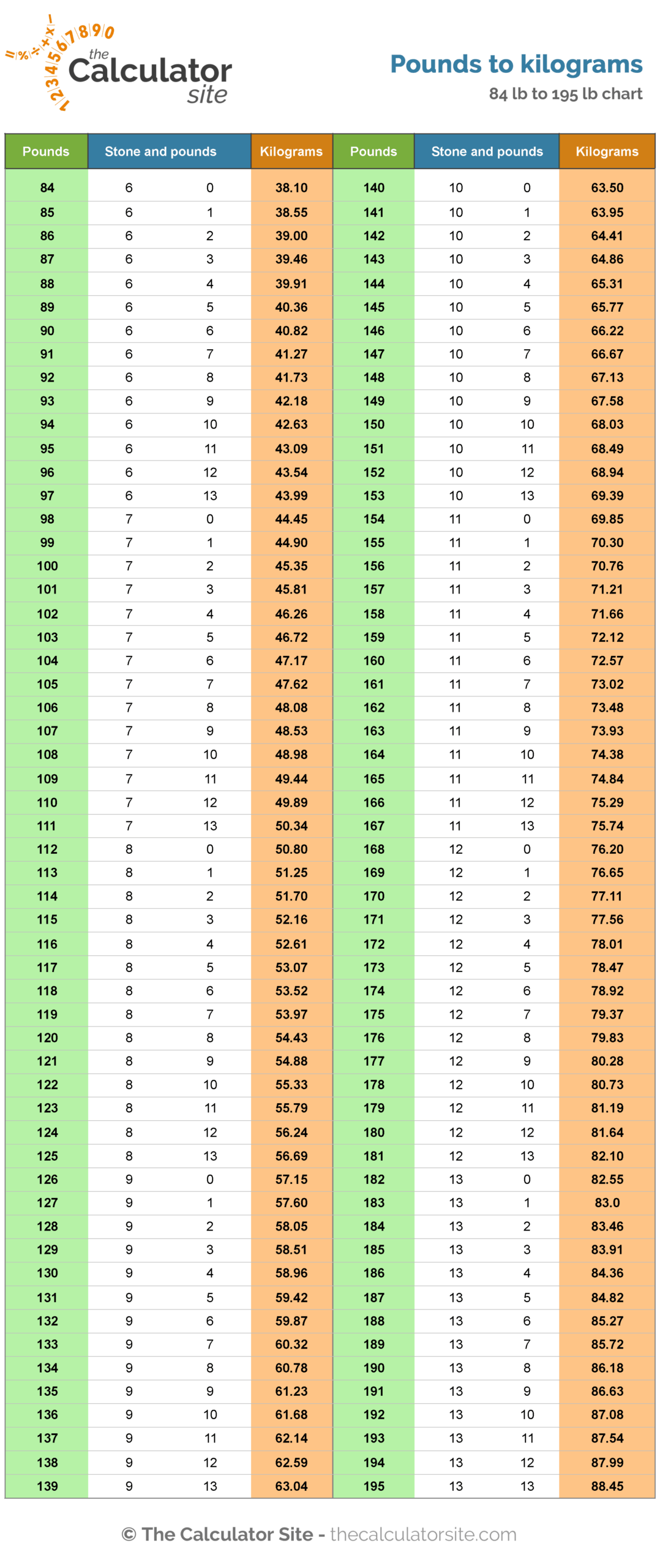
Understanding the Weight Chart Kilos To Pounds
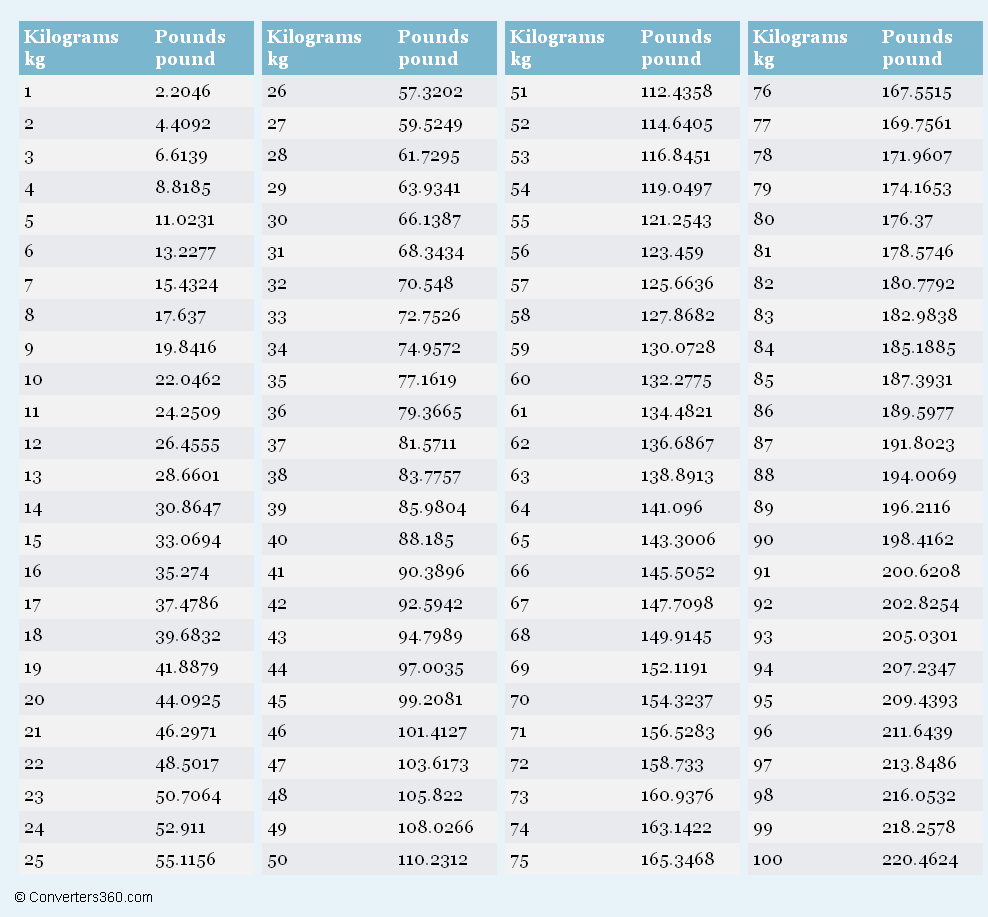
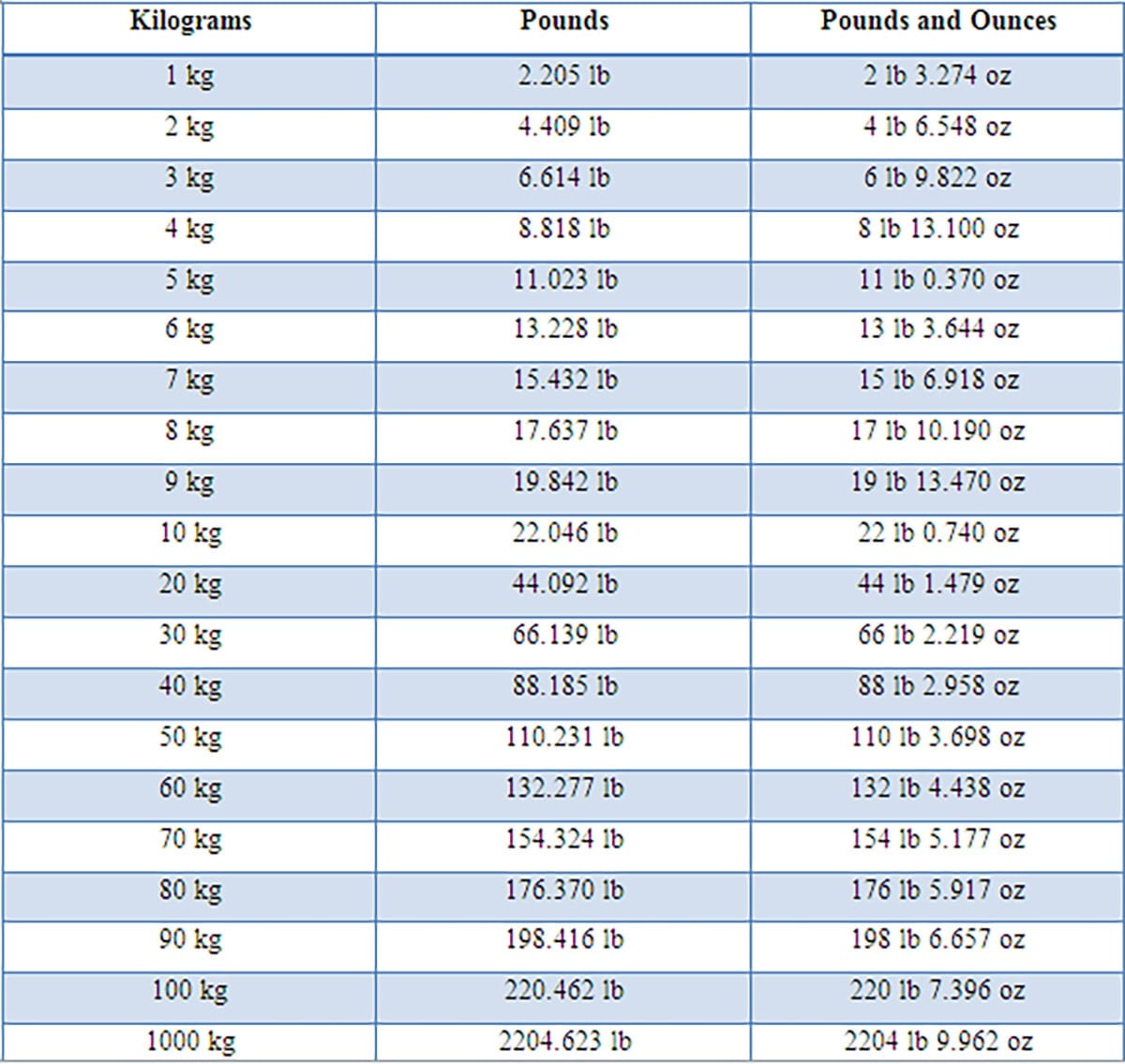
A weight chart is essentially a conversion tool that lists weights in both kilograms (kilos) and pounds. Understanding how to read this chart is vital. Typically, one kilogram equals approximately 2.20462 pounds. This means that when you look at your chart, you’ll see kilos listed in one column and the corresponding pounds in another.
For example, if your child weighs 30 kilos, you can easily find their weight in pounds by locating 30 kilos on the chart and seeing that it equals about 66.14 pounds. Keeping this chart accessible can help you track your family’s weight, especially if you’re monitoring growth or fitness progress.
Choosing the Right Format
When it comes to using a Weight Chart Kilos To Pounds, you have options. You can find printable charts in various formats, such as PDFs or images. Here’s how to choose the best one for your needs:
- PDF Format: This is often the best choice, as it maintains the formatting regardless of what device or printer you use. You can easily fill in weights directly on the computer if the PDF is fillable.
- Image Format: While this can work, be cautious of reformatting issues when printing. Sometimes, the chart may not align properly depending on your printer settings.
If you’re using it for educational purposes, having a printed version can be very beneficial. It allows kids to physically write their weights, making them more engaged in tracking their progress.
Downloading and Printing Your Chart
Once you’ve decided on the format, the next step is to download and print your weight chart. Follow these steps to ensure a smooth process:
- Find a Reliable Source: Look for a reputable website that offers the Weight Chart Kilos To Pounds for download. Ensure the file is free of viruses and safe to use.
- Download the File: Click the download button and save the file to your preferred location on your device.
- Open the File: For PDFs, use a PDF reader to view the file. For images, any standard image viewer should suffice.
- Adjust Print Settings: Before printing, check your settings. Portrait layout generally works better for most home printers. Make sure the size is set to match standard paper (A4 or Letter size).
- Print the Chart: Click print and wait for it to finish. If you plan to use it often, consider printing on cardstock for durability.
Setting Up and Using the Chart
Now that you have your chart printed, it’s time to set it up for use. Here’s how to effectively integrate it into your routine:
- Location: Hang the chart in a visible place, like on the fridge or in your child’s room. This way, everyone can easily access it.
- Filling it In: If you are using a fillable PDF or a printed version, start by writing down the current weights of your family members. This creates a baseline for tracking future changes.
- Regular Updates: Make it a habit to update the chart regularly. You could set a weekly or monthly reminder to weigh family members and jot down their new weights. This consistency helps in tracking growth and health trends effectively.
Benefits of Using a Weight Chart Kilos To Pounds
Having a weight chart offers several benefits beyond just tracking weight:
- Health Monitoring: It allows you to easily monitor weight changes, which is especially useful during growth spurts in children.
- Goal Setting: If you have fitness goals, tracking your weight can help you stay accountable and motivated.
- Educational Tool: This chart can also be a fun learning experience for kids, teaching them about measurements and conversions.
Incorporating a weight chart into your family’s routine not only helps with physical health but also encourages discussions about healthy habits and lifestyle choices.
The single most useful detail I can share is how to personalize your chart. Consider adding columns for notes or goals next to the weights. This will help you keep track of any specific objectives, such as weight gain or loss targets, making your chart an even more powerful tool for health management.
