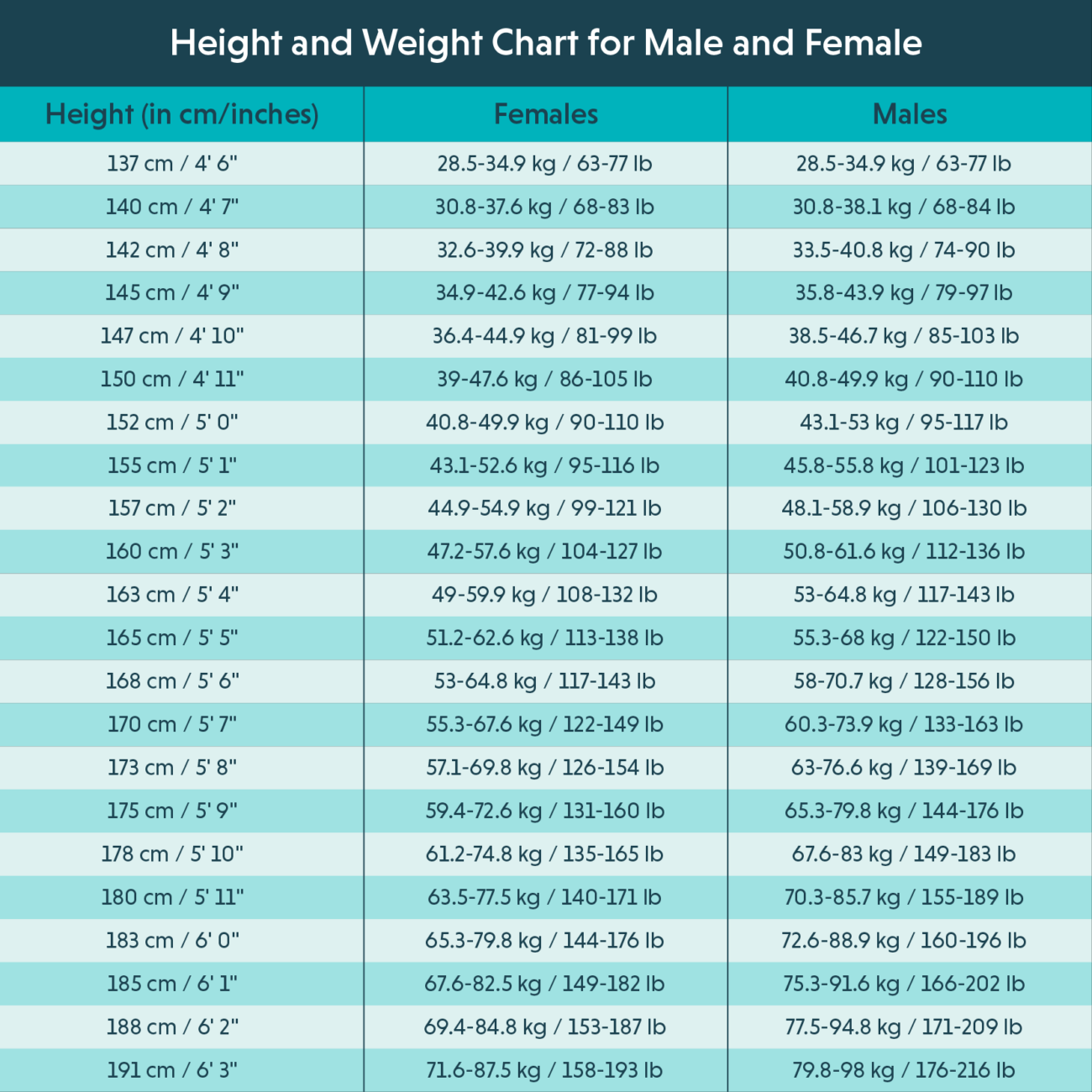
Understanding your child’s growth patterns can sometimes feel overwhelming, especially with so many tools and resources available. A Height And Weight Chart Calculator is a unique and practical resource that helps you track your child’s development over time. This tool can provide crucial insights into whether your child is growing at a healthy rate, but knowing how to use it effectively is key. In this article, I’ll guide you through the layout, sections, and practical applications of the Height And Weight Chart Calculator, ensuring you can utilize it to its fullest potential.
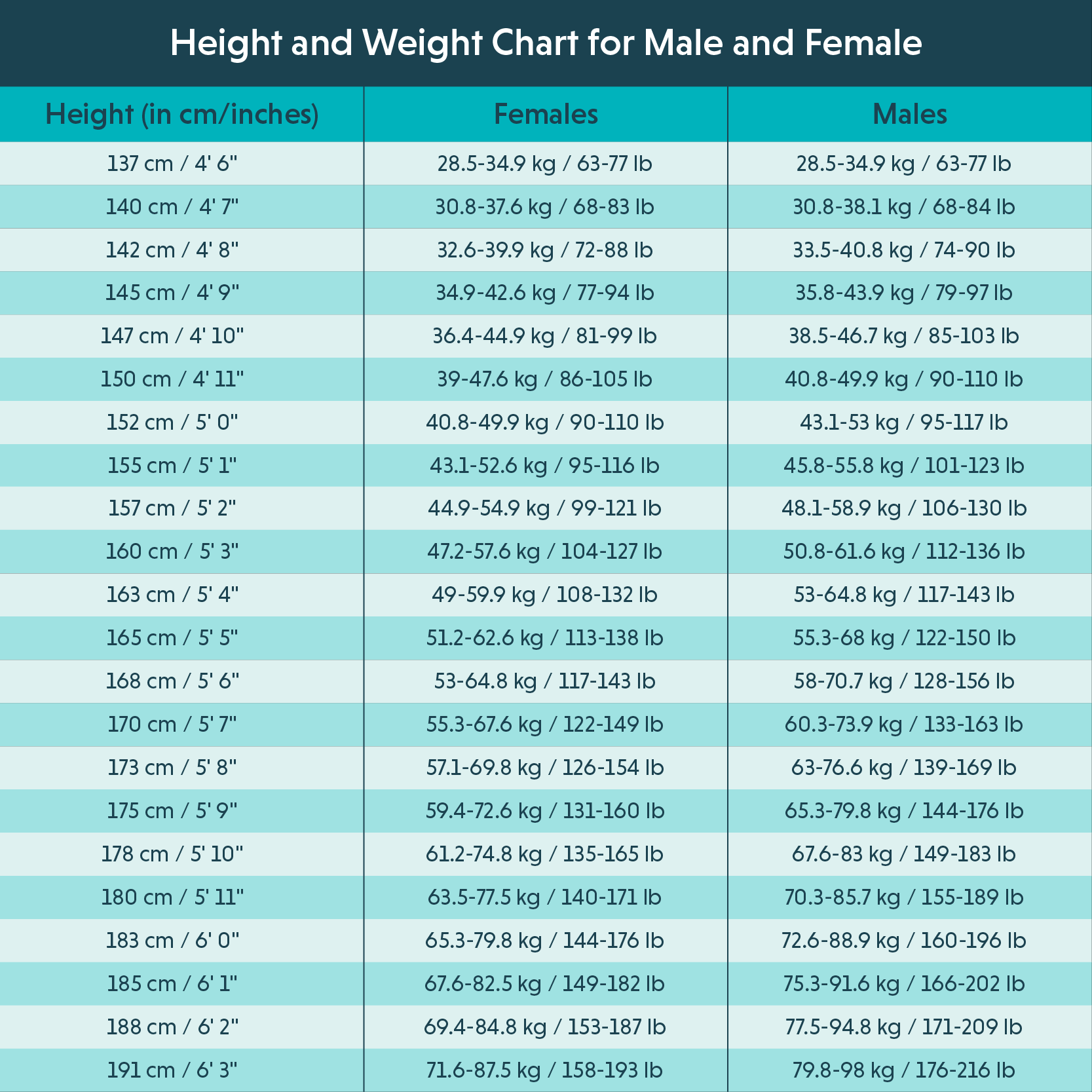
What is a Height And Weight Chart Calculator?
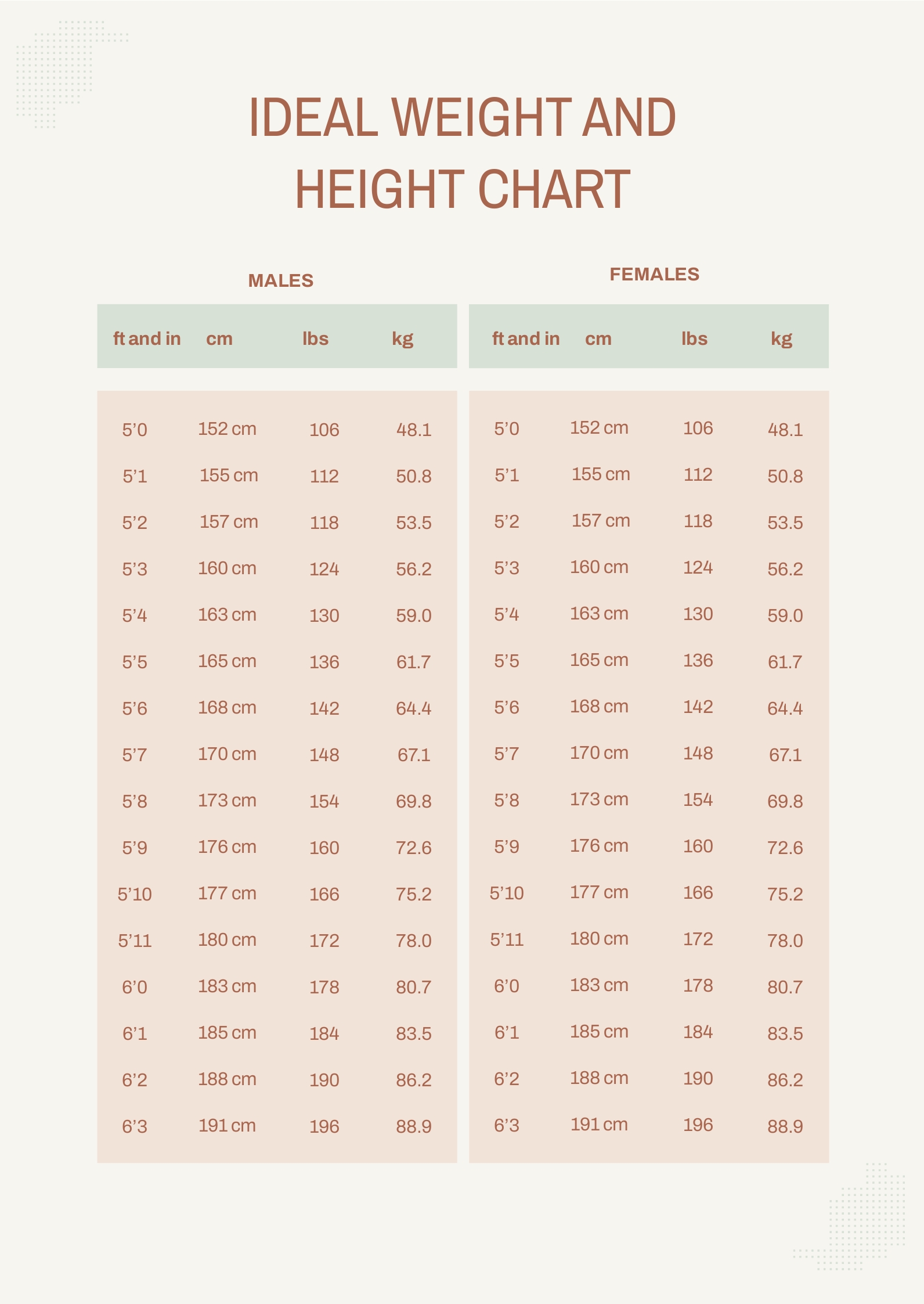
At its core, a Height And Weight Chart Calculator is a tool designed to help parents and caregivers monitor their child’s growth compared to standardized growth charts. It typically includes sections for entering your child’s height, weight, age, and sometimes even gender to provide a more tailored analysis.
The layout usually consists of a grid where you can input values and see where they fall on a percentile chart. This visual representation helps you understand how your child’s growth compares to their peers. The calculator often generates a graph that plots your child’s growth over time, making it easier to see trends and patterns.
How to Use the Height And Weight Chart Calculator
Using the Height And Weight Chart Calculator is straightforward, but it’s vital to follow a few steps to ensure accuracy. Here’s how you can effectively fill it out:
- Gather Accurate Measurements: Measure your child’s height in inches or centimeters and their weight in pounds or kilograms. It’s best to do this at the same time each day for consistency.
- Input Data: Enter your child’s age, height, and weight into the respective fields on the chart. Make sure to double-check these numbers for accuracy.
- Select Gender: If the calculator asks for gender, select it to ensure the growth percentiles are correctly calculated. Boys and girls typically have different growth patterns.
- Analyze the Results: Once you hit calculate, the tool will show where your child’s measurements fall on the growth chart. You should see a percentile ranking, which tells you how your child’s height and weight compare to others in the same age group.
- Regular Updates: It’s helpful to revisit the chart every few months to track growth patterns, especially during those early years when growth can be rapid.
Interpreting the Growth Percentiles
When you receive the results from the Height And Weight Chart Calculator, interpreting the growth percentiles is critical. Here’s a quick breakdown:
- Below 5th Percentile: This indicates that your child is smaller than most children their age. It may warrant a discussion with a pediatrician to assess any underlying issues.
- 5th to 85th Percentile: This range is generally considered normal. If your child falls within these percentiles, it suggests they are growing at a healthy rate compared to their peers.
- Above 85th Percentile: If your child’s measurements are above this range, they may be larger than average. This isn’t necessarily a cause for concern but can be a point of discussion with your healthcare provider.
Understanding these percentiles can help you make informed decisions about nutrition and activity levels to support your child’s health.
When to Use a Height And Weight Chart Calculator
There are several occasions when using a Height And Weight Chart Calculator is beneficial:
- Regular Check-ups: During routine pediatric visits, it’s common for doctors to track growth. Having this information on hand can facilitate discussions about your child’s health.
- School Requirements: Some schools may require updated health information for enrollment, and having a record of your child’s growth can simplify this process.
- Health Concerns: If you notice changes in your child’s eating habits or physical activity, using this calculator can help determine if those changes are affecting their growth.
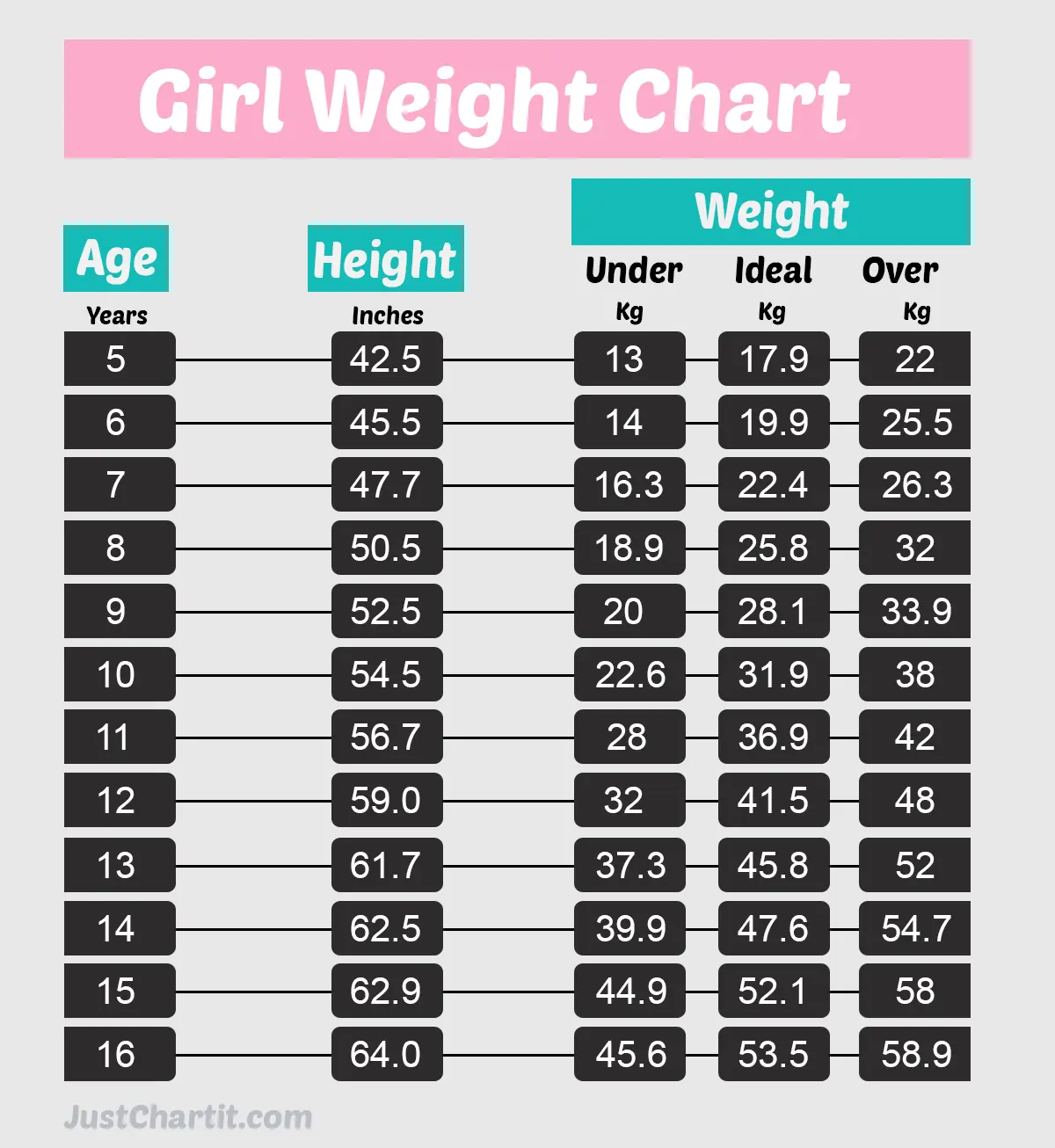
Presentation and Quality Considerations for Your Chart
When it comes to printing your Height And Weight Chart Calculator, presentation matters. Here are a few tips to ensure you get the best results:
- Paper Quality: Using a heavier weight paper, like cardstock, can enhance durability. This is especially useful if you plan to keep the chart for extended periods or share it with your pediatrician.
- Print Settings: If you’re using a standard home printer, portrait layout typically works best for most charts. Check your printer settings to ensure the dimensions match the chart you’re printing.
- Color vs. Black and White: A color print can help differentiate sections and make the chart more visually engaging, but if you’re printing in black and white, ensure the contrast is strong enough for readability.
- Lamination: If you want to keep your chart in pristine condition, consider laminating it. This will protect it from spills, tears, and other wear and tear, allowing you to use a dry-erase marker for updates.
The Height And Weight Chart Calculator is not just a tool; it’s a valuable resource for parents looking to stay informed about their child’s growth. By understanding how to use it effectively and interpret the results, you can play an active role in your child’s health journey. One important detail to remember is that this tool is best used in conjunction with regular pediatric visits, ensuring that a healthcare professional is also monitoring your child’s growth and development.
