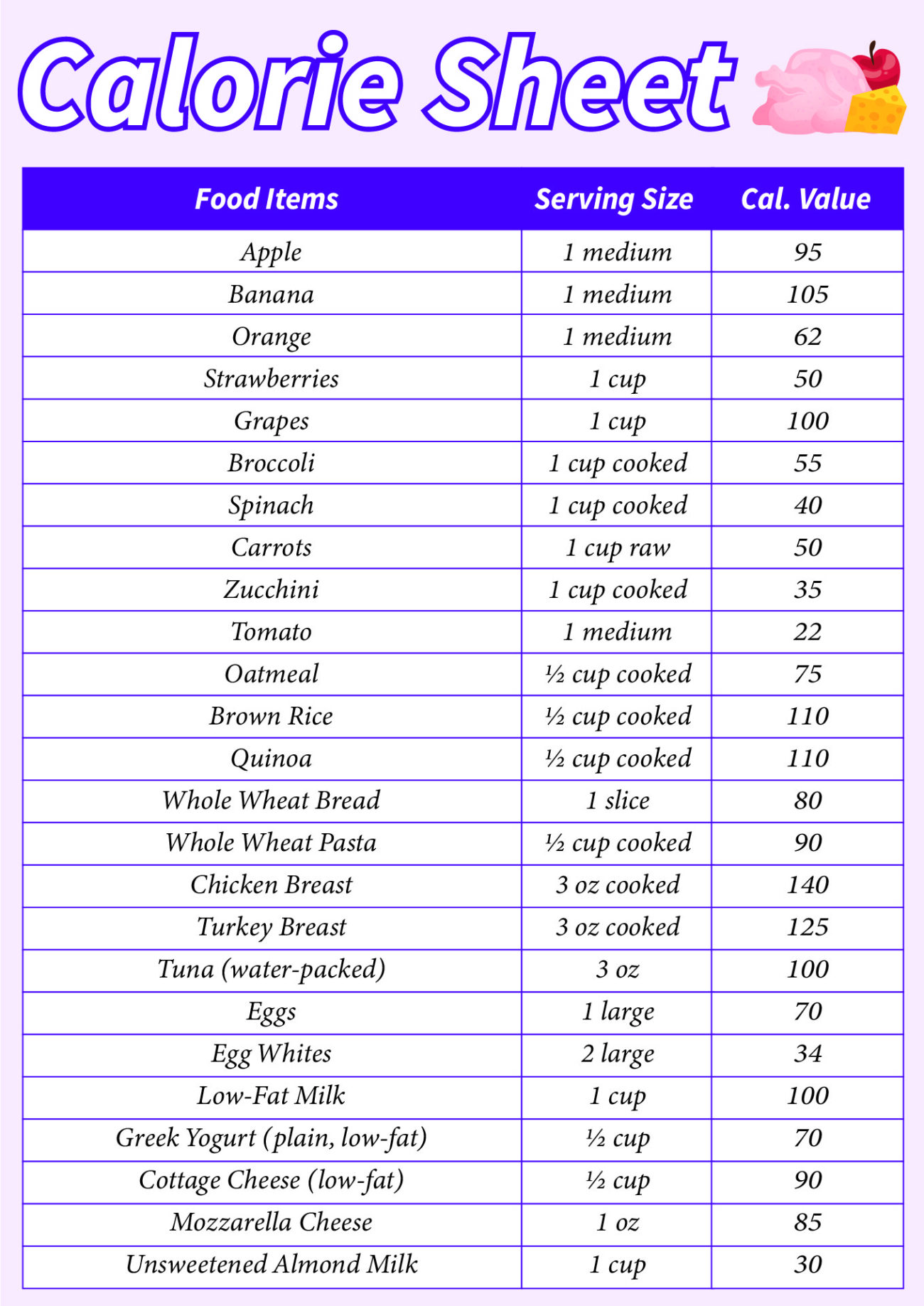
Tracking calories is essential for anyone looking to lose weight. A well-structured Calories Chart For Weight Loss can help you monitor your daily intake, make informed food choices, and stay on track with your weight loss journey. Whether you’re a busy parent trying to manage meals for your family or someone who’s just starting their fitness journey, having a practical chart can simplify the process.
Understanding the Basics of a Calories Chart
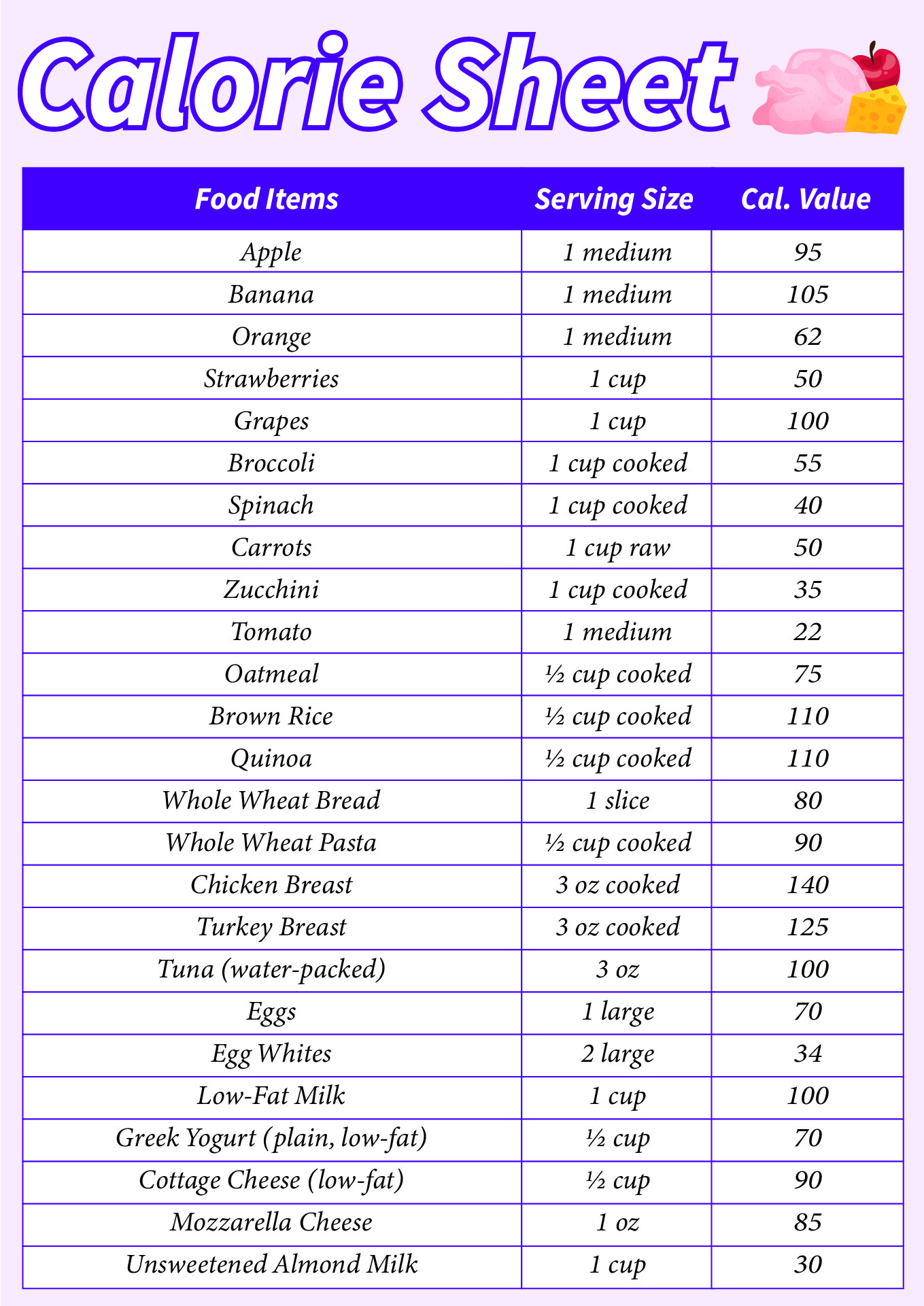
A Calories Chart is designed to provide a clear overview of the caloric content of various foods. This chart typically includes the following:
- Food items
- Serving sizes
- Caloric values per serving
- Nutritional information (like fats, carbs, and proteins)
When you have this information at your fingertips, it becomes much easier to plan your meals and snacks. You’ll know exactly how many calories you’re consuming and where you might need to make adjustments.
How to Create Your Calories Chart
Creating a Calories Chart for weight loss can be simple and effective. Here’s how to do it:
- Choose Your Format: You can either download a pre-made chart or create your own. Printable charts are widely available, and they can be customized to fit your dietary preferences.
- Gather Food Information: Use reliable sources, like nutrition labels or online databases, to collect data on the foods you typically eat. This step is crucial because accurate calorie counts will make your chart more effective.
- Organize the Chart: Arrange the foods by category—fruits, vegetables, proteins, grains, etc. This organization will help you quickly find what you need when planning meals.
- Include Serving Sizes: Make sure to note the serving sizes next to each food item. This detail is essential for calculating your total calorie intake accurately.
- Fill in Nutritional Values: If you want, you can also add information about fats, carbohydrates, and proteins. This added detail can help you balance your meals better.
Using Your Calories Chart Effectively
Once you have your Calories Chart ready, it’s time to put it into action. Here are some practical steps to help you use it effectively:
Meal Planning
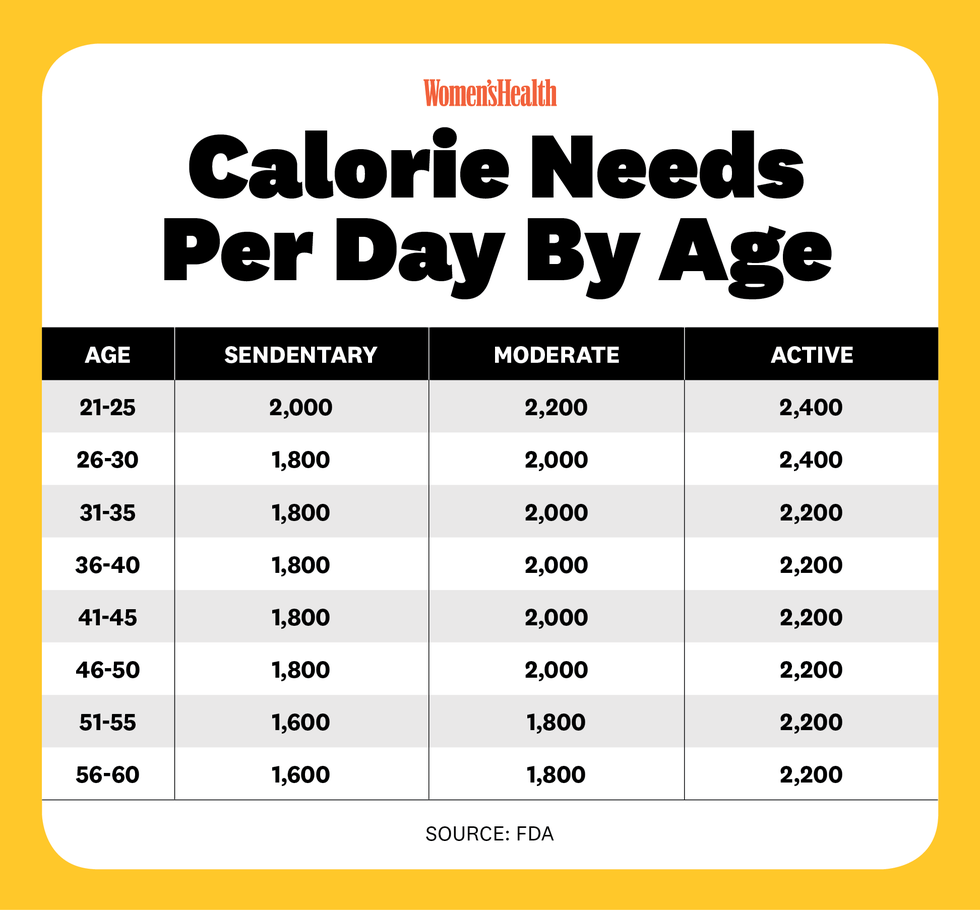
Start each week by planning your meals. Use your chart to select foods that fit within your caloric goals. For example, if you’re aiming for a 1,500-calorie daily limit, you can plan meals that total around that amount.
Daily Tracking
As you eat throughout the day, keep your chart handy. It’s a good idea to write down everything you consume, including snacks. This habit will help you stay accountable and aware of your intake.
Adjusting as Needed
If you find that you’re not losing weight as expected, revisit your chart. Look for areas where you might be consuming more calories than you intended. Making small adjustments can lead to significant changes over time.
Tips for Successful Use of a Calories Chart
- Be Honest: Record everything you eat, even if it’s just a bite or a taste. Every calorie counts when you’re trying to lose weight.
- Stay Flexible: Life can be unpredictable. If you go out to eat or have a special occasion, estimate portion sizes and calories as best as you can.
- Involve Your Family: If you’re a parent, get your kids involved in meal planning. Teach them about healthy eating and how to read the calories chart. It can be a fun family activity!
- Make it Visual: If charts aren’t your style, consider using apps that track calories for you. They often include a database of foods and can make logging easier.
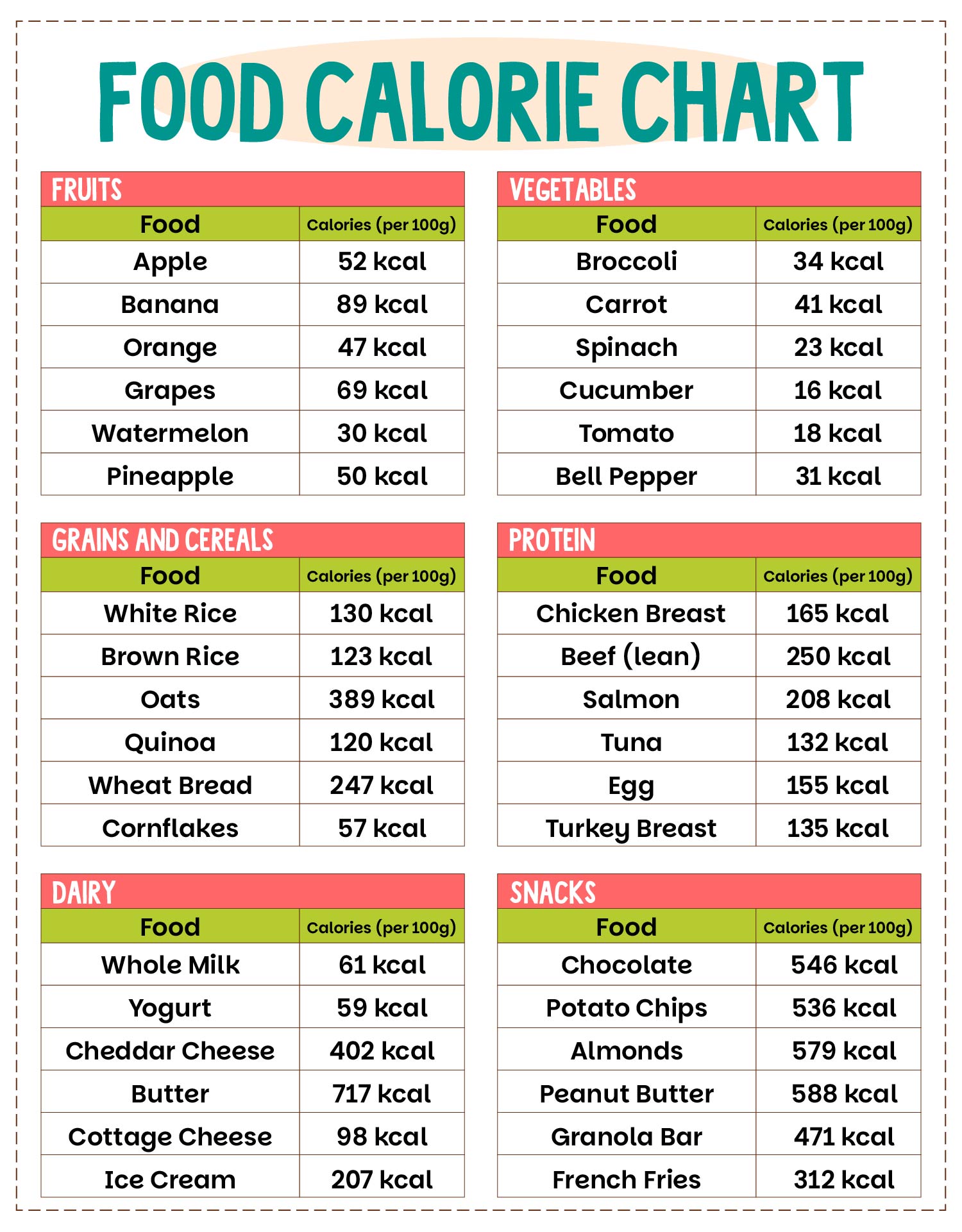
Where to Find Printable Calories Charts
You can find a variety of printable Calories Charts online. Look for resources that offer:
- Easy-to-read formats
- Options for customization
- Additional nutritional information
Many printable resource websites provide free downloads, so you can easily find one that suits your needs. When downloading, check that the chart is in a format that will print well—PDFs are typically the best choice for preserving layout and format.
